Personalized Invitation Links: What They Are & Why They Matter
Digital Invitations
Event Planning Tools
Invitation Website
RSVP Management
Features
Guest Management
Event Planning
By Link of Time • Published Mar 20, 2026 • Updated Jun 01, 2026
Introduction
Sending invitations is no longer just about sharing event details—it’s about creating a personal and seamless experience for every guest. This is where personalized invitation links come in.
Instead of sending a generic link to everyone, each guest receives a unique invitation link tied to their name and RSVP record. The result? Better tracking, fewer errors, and a more engaging experience for your guests.
In this guide, we’ll break down what personalized invitation links are, how they work, and why they matter for modern event planning.
What Are Personalized Invitation Links?
A personalized invitation link is a unique URL generated for each guest in your event guest list.
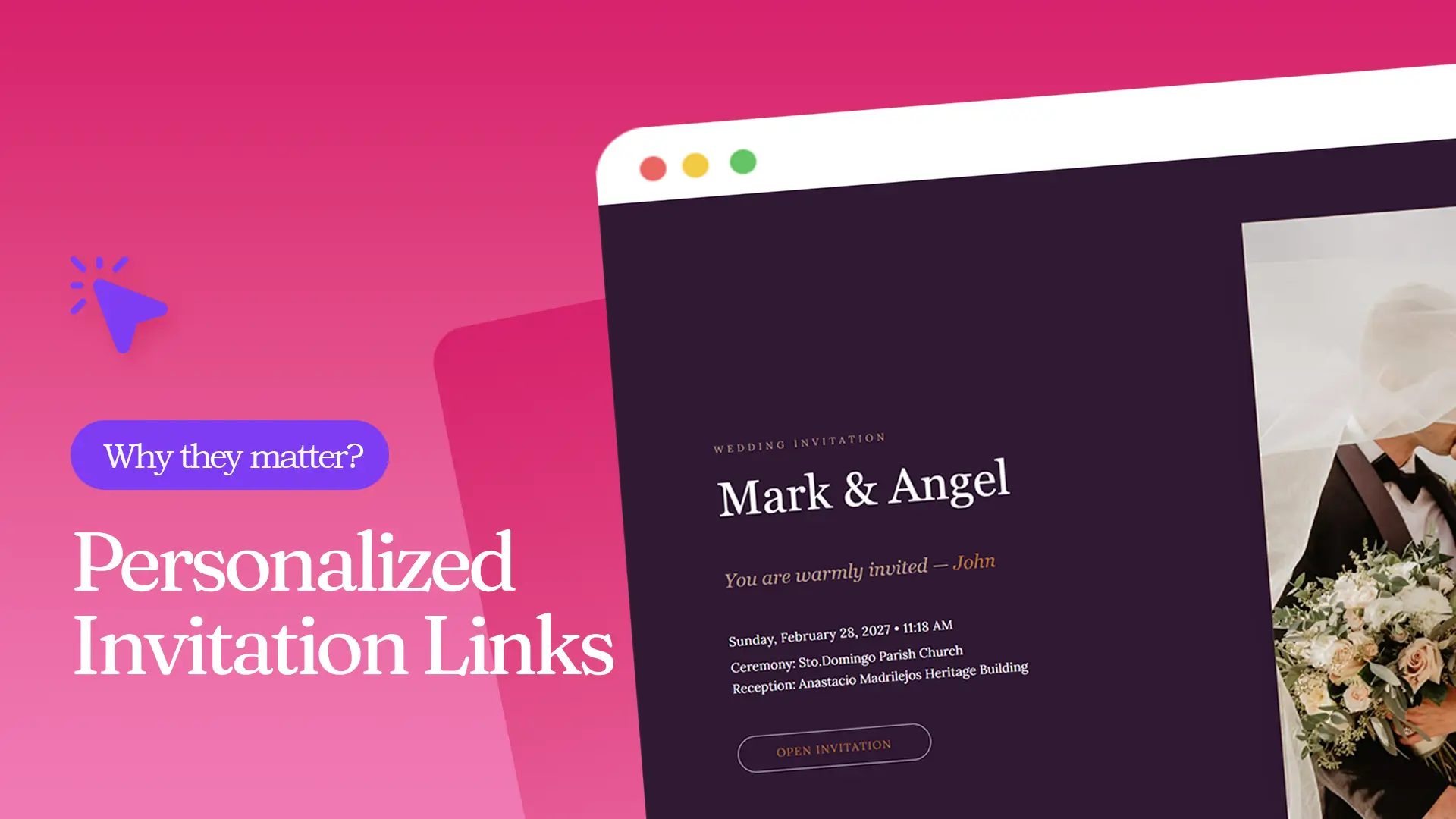
When you add a guest to your system, the platform automatically creates a custom link tied to that specific person’s record. When they open it, they’ll see a personalized message like:
“You are warmly invited, John!”
This small detail makes a big difference—it instantly tells guests that the invitation is meant specifically for them.
More importantly, this link is not just for display—it’s connected to your RSVP system, making guest tracking much easier.
How Personalized Invitation Links Work
Understanding the flow helps you maximize this feature.
Step 1: Add Guests to Your List
Once you add a guest (manually or via bulk upload), the system automatically generates a unique invitation link for that person. If you haven’t done this yet, check out how to upload multiple guests efficiently (How to Upload Guests in Bulk to Your Invitation Website).
Step 2: Share the Unique Link
Each guest receives their own link. When they open it, their name is already displayed on the invitation page, creating a personalized experience.
Step 3: Guest Submits RSVP
When the guest confirms or declines attendance, the system automatically updates their record—no manual tracking needed. This connects directly with your RSVP system, which you can explore further in how RSVP automation works (How RSVP Management Works on an Invitation Website).
Step 4: Post-RSVP Experience
After the RSVP deadline passes, the same personalized link becomes even more useful. When guests revisit it, they can see additional updates, such as their assigned seat (if seating is enabled).
Why Personalized Invitation Links Matter
1. Accurate RSVP Tracking
Because each link is tied to a specific guest, there’s no confusion about who responded. This eliminates duplicate entries and manual corrections.
If you want to see how this improves organization, read how to monitor guest responses effectively (How to Track Confirmed, Pending & Declined Guests Easily).
2. Better Guest Experience
Guests feel valued when they see their name directly on the invitation. It creates a more intimate and thoughtful experience compared to generic links.
It also simplifies the process—guests don’t need to re-enter their details, making RSVP faster and more convenient.
3. Seamless Event Updates
Your invitation link isn’t just for RSVPs—it becomes a central hub for event updates.
For example:
- Guests can revisit the link anytime
- They can check updated event details
- They can view their assigned seat after the RSVP deadline
This reduces the need for follow-up messages or manual reminders.
4. Improved Event Organization
With personalized links, every action is automatically recorded in your system. This means:
- No manual guest matching
- No confusion with shared links
- Cleaner, more reliable data
According to event planning insights from Guidebook, having structured attendee data significantly improves event execution and guest experience.
Best Practices for Using Personalized Invitation Links
To get the most out of this feature, keep these tips in mind:
Always Send Individual Links
Avoid sending a generic invitation link when possible. Personalized links ensure accurate tracking.
Keep Guest Information Clean
Make sure names are spelled correctly before sending invitations to maintain a polished experience.
Encourage Guests to Use Their Own Link
Remind guests not to share their link with others to prevent data mismatches.
Use It Beyond RSVP
Encourage guests to revisit their link for updates like seating arrangements or schedule changes.
FAQs
Conclusion
Personalized invitation links are more than just a modern feature—they are a powerful tool for better guest management and event planning.
They help you:
- Track RSVPs accurately
- Deliver a personalized guest experience
- Share updates seamlessly
- Stay organized without extra effort
If you want to simplify your event planning and create a more meaningful experience for your guests, start using personalized invitation links today.
Ready to elevate your invitations? Explore Link of Time and make every guest feel personally invited.
Comments
Join the conversation and share your thoughts.
No comments yet
Be the first to share your thoughts.