How to Manage RSVPs Online Without Spreadsheets
By Link of Time • Published Feb 10, 2026 • Updated Feb 16, 2026
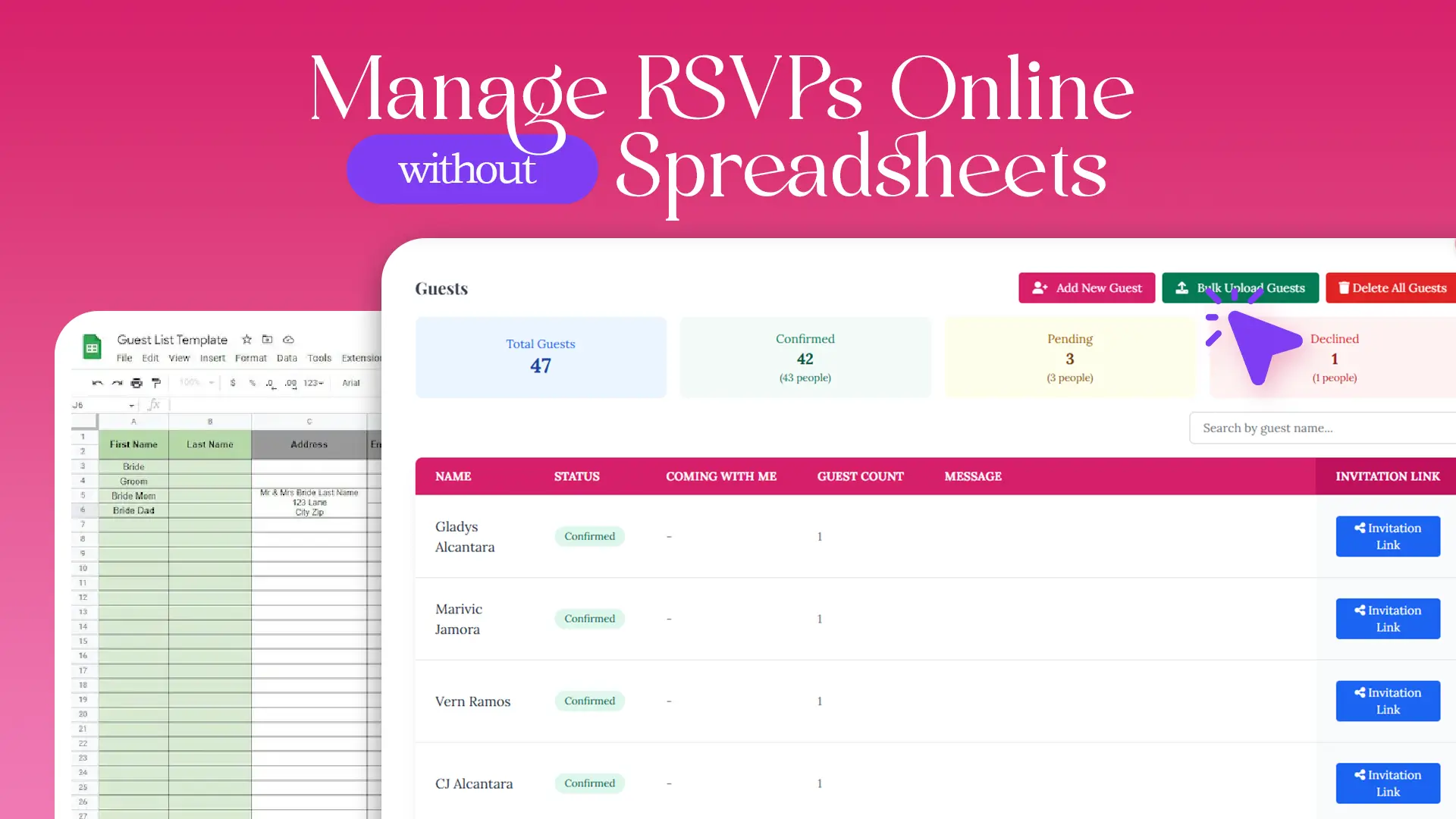
Spreadsheets have long been the default tool for tracking event RSVPs—but they’re also one of the biggest sources of stress for hosts. Manual updates, outdated responses, broken formulas, and endless follow-ups quickly turn simple planning into a headache.
The good news? You no longer need spreadsheets to manage guest responses. With online RSVP tools, you can track attendance in real time, send personalized invitation links, and stay organized from start to finish.
In this guide, we’ll show how to manage RSVPs online without spreadsheets, why this approach is more reliable, and how platforms like Link of Time simplify the entire process.
Why Spreadsheets Fall Short for RSVP Management
Spreadsheets work best for static data—but events are dynamic. Guest responses change, additional guests are added, and messages roll in over time.
Common spreadsheet issues include:
- Manual data entry errors
- No real-time updates
- Difficulty tracking guest-specific details
- Confusion when multiple versions are shared
Online RSVP systems solve these problems by centralizing everything in one place.
What Online RSVP Management Looks Like Today
Modern online RSVP tools are designed around how events actually work—not just how data is stored.
Instead of rows and columns, you get:
- A live guest list
- Clear RSVP statuses (confirmed, pending, declined)
- Guest-specific responses and messages
- Automatic updates without manual edits
This shift makes RSVP tracking more accurate and significantly less time-consuming.
How to Manage Guest Responses Online Step by Step
Step 1: Add Guests Once, Not Repeatedly
With online RSVP tools, guests are added to your event just once—either manually or via bulk upload. From that point on, every response updates automatically.
This eliminates:
- Duplicate entries
- Recopying names across sheets
- Version conflicts
You can explore how centralized guest data improves planning in “Invitation Website for Events: Features, Benefits & Examples.”
Step 2: Share Personalized Invitation Links
Instead of asking guests to reply in messages or emails, each guest receives a personalized invitation link.
When they open it:
- They see their name on the invitation
- They submit their RSVP directly
- Their response is instantly recorded
This reduces misunderstandings and ensures every response is tied to the correct guest.
Step 3: Track RSVP Status in Real Time
Online RSVP dashboards clearly display:
- Confirmed guests
- Pending responses
- Declined invitations
As soon as a guest responds, the status updates automatically—no refreshing, no manual changes.
This real-time visibility is a major advantage over spreadsheets, especially for events with RSVP deadlines. For a deeper dive, reference “How to Share an Invitation Website Using One Simple Link.”
Step 4: Capture More Than Just “Yes” or “No”
Unlike spreadsheets, online RSVP systems can store:
- Number of additional guests
- Custom messages from guests
- Contact details for follow-ups
This extra context helps hosts plan seating, catering, and schedules more accurately.
Step 5: Control Access and Guest Limits
Online RSVP tools also allow event hosts to:
- Limit how many personalized links are shared
- Blur or restrict guest details based on event settings
- Upgrade access only when needed
This keeps guest data secure and prevents overcrowding—something spreadsheets can’t manage effectively.
According to Capterra’s event management research, real-time RSVP tools significantly reduce planning errors and last-minute changes.
Why Online RSVP Management Is Better for Guests Too
Guests benefit just as much as hosts:
- No need to search old messages
- Easy access to event details
- Ability to revisit their invitation anytime
Industry insights from Gevme event software reviews highlight that simpler RSVP flows lead to higher response rates.
Frequently Asked Questions (FAQ)
Conclusion: A Smarter Way to Track Guest Responses
Managing RSVPs online removes the chaos that comes with spreadsheets. With real-time updates, personalized invitation links, and centralized guest data, hosts gain clarity while guests enjoy a smoother experience.
👉 Switch to online RSVP management with Link of Time and manage guest responses without spreadsheets, stress, or guesswork.
Comments
Join the conversation and share your thoughts.
No comments yet
Be the first to share your thoughts.