How RSVP Management Works on an Invitation Website
By Link of Time • Published Feb 19, 2026 • Updated Mar 08, 2026
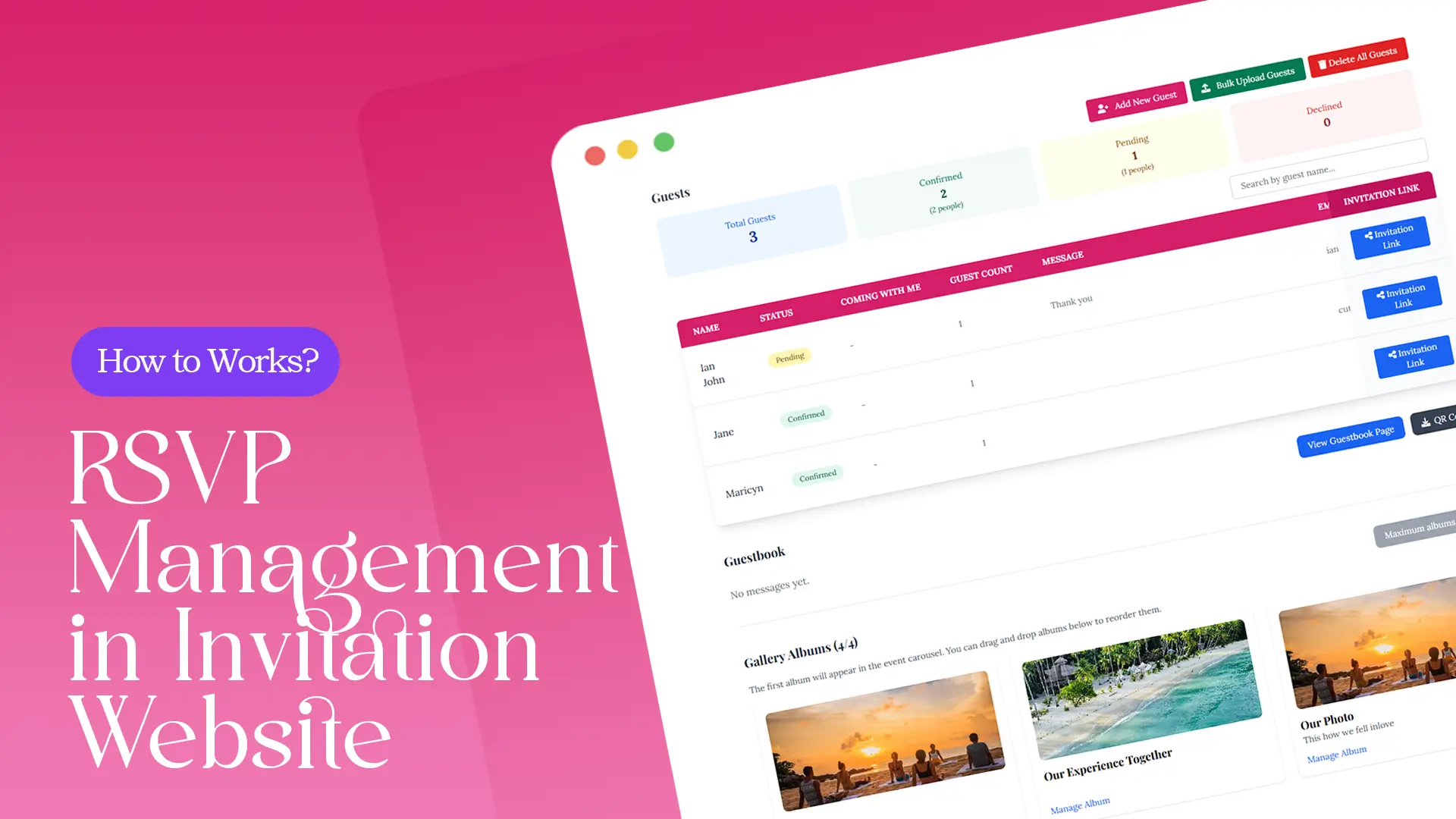
Planning an event is exciting—but managing guest responses can quickly become overwhelming. Who’s attending? Who hasn’t replied? How many seats do you need to prepare? This is where a modern RSVP system changes everything.
In this guide, we’ll break down how RSVP management works on an invitation website, how Link of Time simplifies the entire process, and how you can use it to stay organized from the first invite to event day.
What Is RSVP Management on an Invitation Website?
RSVP management refers to the system that allows guests to confirm their attendance directly through your invitation page. Instead of collecting replies through text messages, phone calls, or scattered spreadsheets, everything happens in one centralized dashboard.
With an online RSVP system, you can:
- Track confirmed attendees in real time
- See who declined or hasn’t responded
- Organize guest details efficiently
- Avoid manual data entry errors
This approach eliminates confusion and gives hosts full visibility into attendance numbers at any time.
How the RSVP System Works on Link of Time
1. Guests Access Your Invitation Website
Once you share your event link, guests open your invitation page and scroll to the RSVP section. Depending on your package, the RSVP form may include:
- Name and attendance confirmation
- Personalized guest name display
- Additional notes such as meal preference or special requests
Because the RSVP form is integrated directly into your event page, there’s no need for third-party tools or external forms.
2. Responses Are Recorded Instantly
As soon as a guest submits their RSVP, their response appears in your event dashboard in real time. There’s no delay and no need to refresh manually.
If you’ve created personalized invitation links, responses are automatically tied to specific guests—making tracking even easier. This process is explained further in creating individual invitation links for guests, which enhances accuracy in your RSVP system.
3. Hosts Monitor Everything in the Dashboard
You can access your event dashboard by:
- Clicking “Access Owner Page” at the bottom of your invitation page, or
- Logging into your account and selecting Manage Event
Inside the dashboard, you’ll find a secure guest list overview showing attendance status. This makes it easy to:
- Count total confirmed guests
- Identify pending responses
- Plan seating (for packages that include seat assignment)
If event details change, updates reflect immediately without affecting previously collected RSVPs. You can learn more about this in managing event changes after invitations are sent.
RSVP Features by Package
Link of Time offers different levels of RSVP management depending on your chosen plan:
- Free – Template Invite: Basic RSVP form (name + attendance only)
- Lite – Digital Essentials: Unlimited personalized links + secure guest dashboard
- Basic – Invitation Plus: Automatic thank-you message + seat assignment
- Standard and Above: RSVP notes (meal preferences, plus-ones, special requests)
You can explore full feature comparisons on the official packages page to determine which RSVP system best fits your event needs.
Why an Online RSVP System Is Better Than Manual Tracking
Traditional RSVP tracking often involves spreadsheets or messaging apps, which can lead to:
- Missed confirmations
- Double entries
- Confusion about guest counts
- Last-minute stress
An integrated RSVP system solves these problems by centralizing everything in one place. According to Guestnhost event planning insights, digital RSVP tools significantly improve attendance tracking and reduce administrative workload.
Best Practices for Using Your RSVP System Effectively
To maximize your RSVP management:
- Set a clear RSVP deadline to encourage faster responses
- Send gentle reminders to guests who haven’t responded
- Regularly check your dashboard to monitor changes
- Upgrade your plan if you need seat assignments or guest notes
By staying proactive, you’ll avoid last-minute surprises and ensure smoother event preparation.
Frequently Asked Questions
Final Thoughts
Understanding how RSVP management works on an invitation website helps you plan smarter and reduce stress. With Link of Time’s built-in RSVP system, guest responses are organized, accessible, and updated in real time—so you always know exactly who’s attending.
Ready to simplify your event planning? Create your invitation website today and let your RSVP system handle the rest.
Comments
Join the conversation and share your thoughts.
No comments yet
Be the first to share your thoughts.