How to Create an Invitation Website with RSVP Management (Step-by-Step)
By Link of Time • Published Jan 25, 2026 • Updated Feb 10, 2026
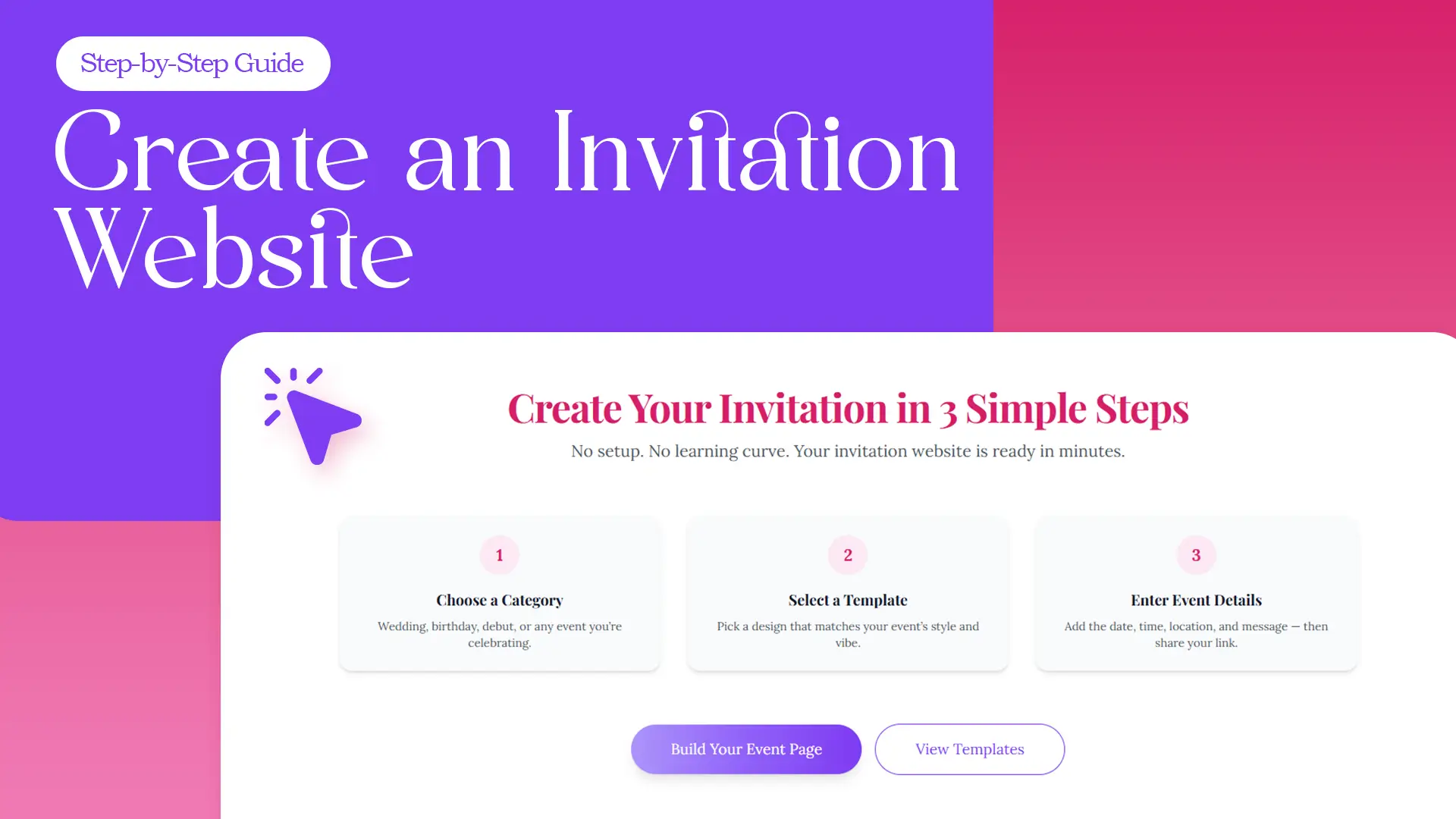
Planning an event shouldn’t feel complicated. With an invitation website with RSVP management, you can share all your event details, collect guest responses, and manage everything in one place—using just a single link.
In this guide, we’ll walk you through exactly how to create an invitation website using our platform, following a simple 3-step process. No setup. No learning curve. Your online invitation can be ready in minutes.
Why Use an Invitation Website with RSVP Management?
An invitation website replaces messy chat threads, paper invitations, and manual RSVP tracking. Everything your guests need is hosted in one modern, mobile-friendly page.
With an invitation website, you get:
- One shareable link for all event details
- Built-in RSVP management
- Real-time guest list updates
- Easy access on any device
Whether it’s a wedding, birthday, debut, or corporate event, online invitations make planning faster and stress-free.
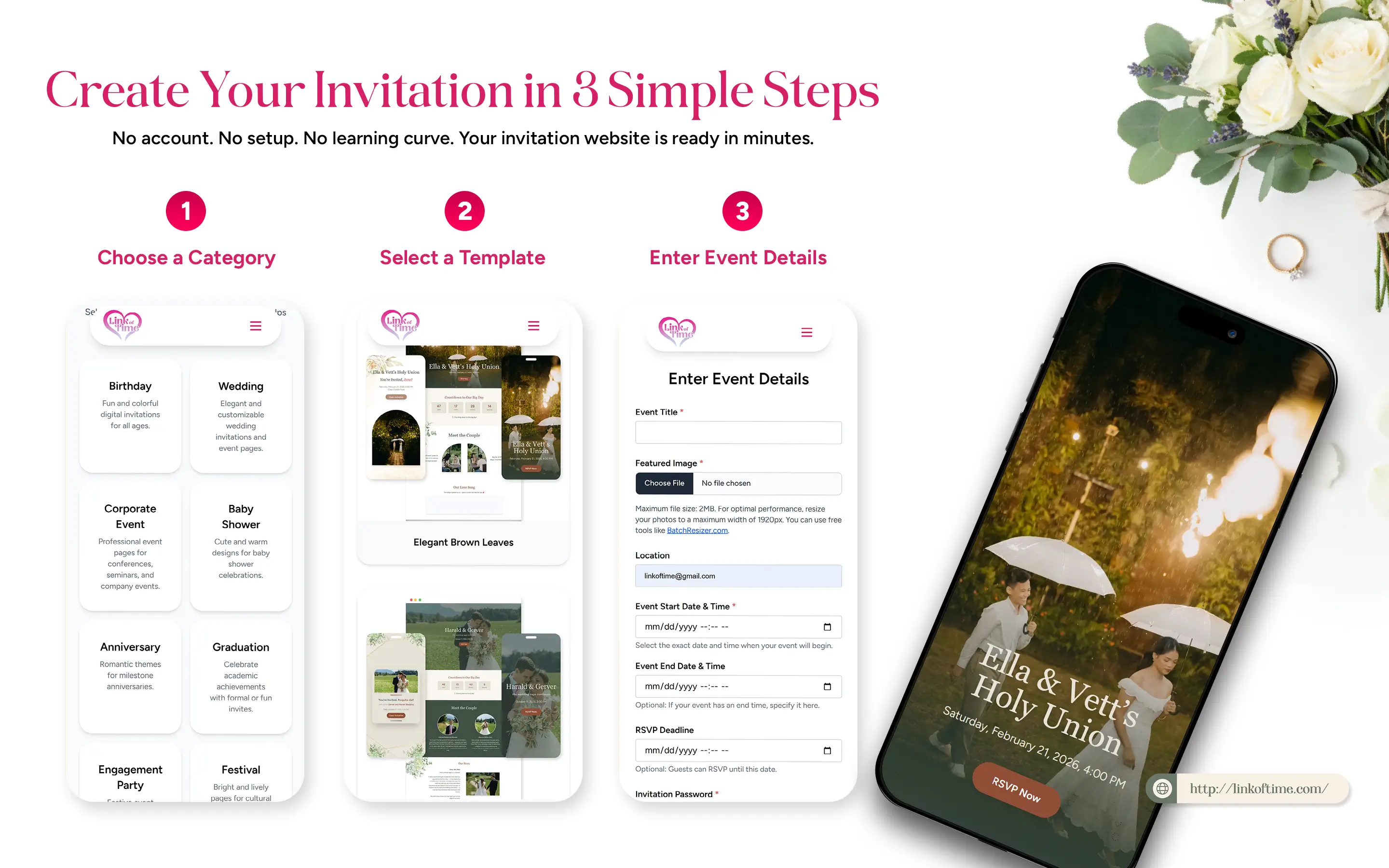
Create Your Invitation Website in 3 Simple Steps
No technical skills required. Here’s how to build your invitation website on our platform.
Step 1: Choose a Category
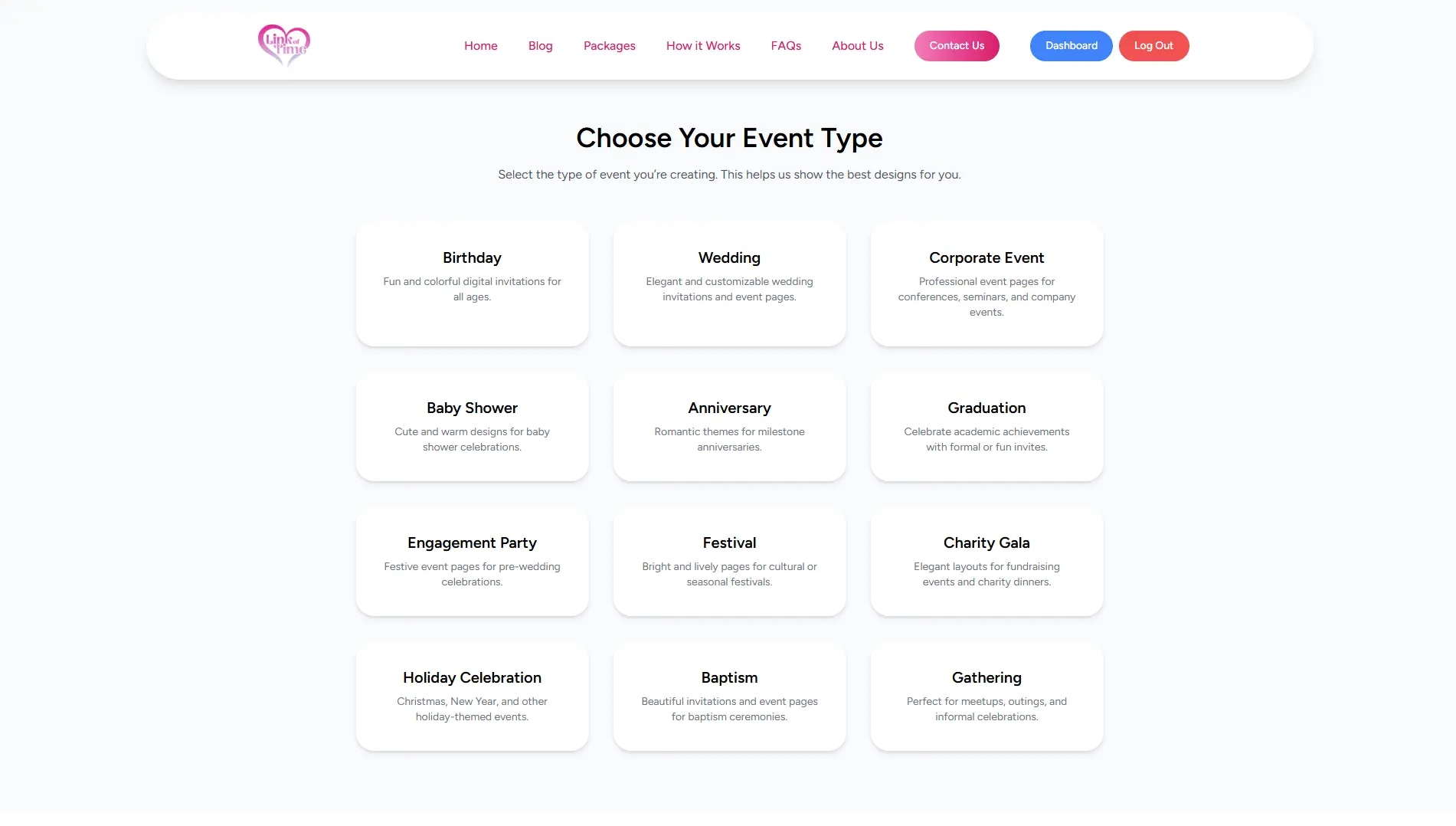
Start by selecting the type of event you’re celebrating.
Available categories include:
- Birthday -Fun and colorful digital invitations for all ages.
- Wedding - Elegant and customizable wedding invitations and event pages.
- Corporate Event - Professional event pages for conferences, seminars, and company events.
- Baby Shower - Cute and warm designs for baby shower celebrations.
- Anniversary - Romantic themes for milestone anniversaries.
- Graduation - Celebrate academic achievements with formal or fun invites.
- Engagement Party - Festive event pages for pre-wedding celebrations.
- Festival - Bright and lively pages for cultural or seasonal festivals.
- Charity Gala - Elegant layouts for fundraising events and charity dinners.
- Holiday Celebration - Christmas, New Year, and other holiday-themed events.
- Baptism - Beautiful invitations and event pages for baptism ceremonies.
- Gathering - Perfect for meetups, outings, and informal celebrations.
Choosing a category helps tailor the layout and features of your invitation website to match your event’s needs.
Step 2: Select a Template
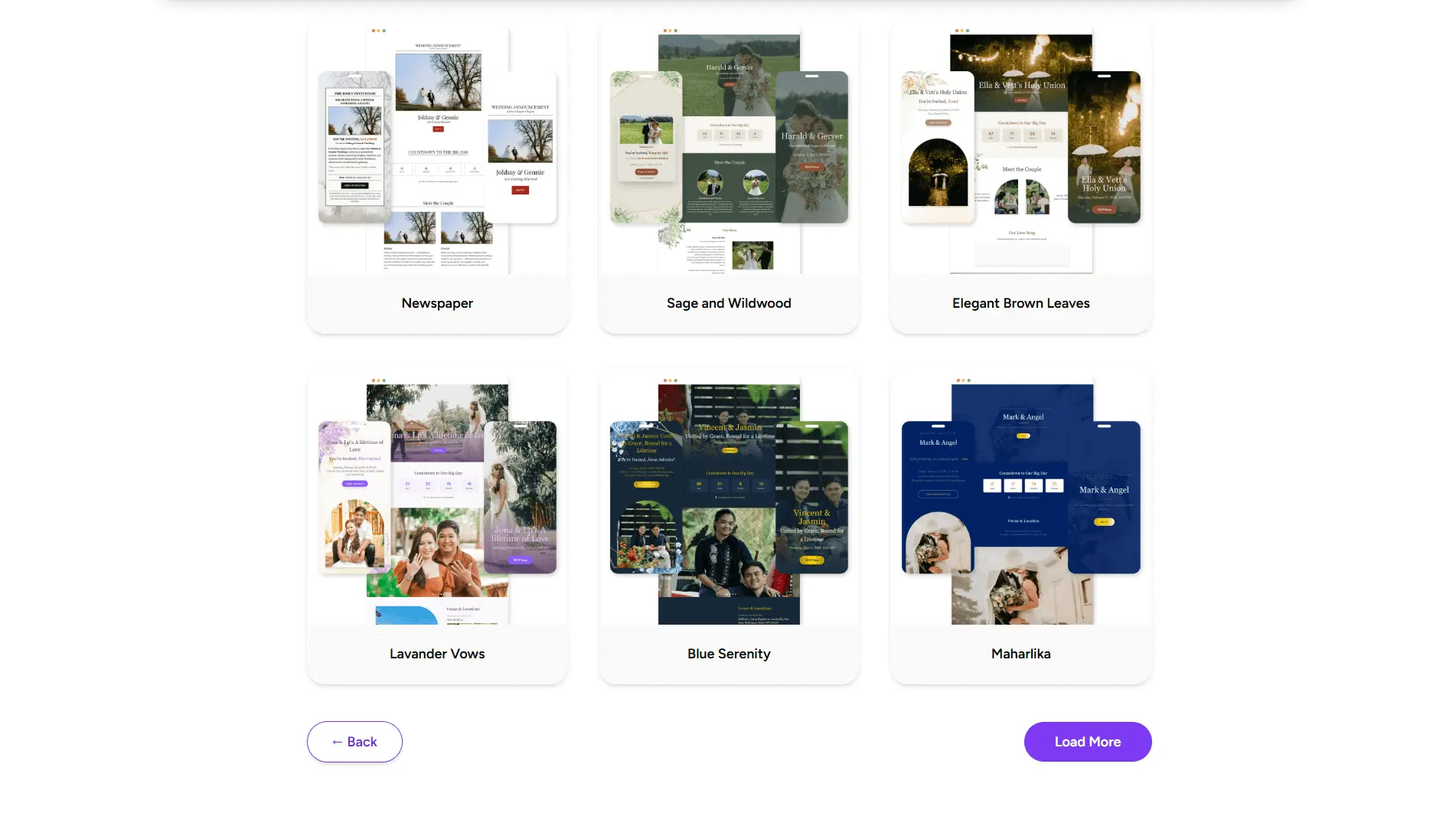
Next, browse our professionally designed templates and pick one that matches your event’s style and vibe.
Each template is:
- Clean and modern
- Fully mobile-responsive
- Designed for easy reading and RSVP access
From romantic wedding themes to fun birthday designs, every template is optimized for a beautiful guest experience.
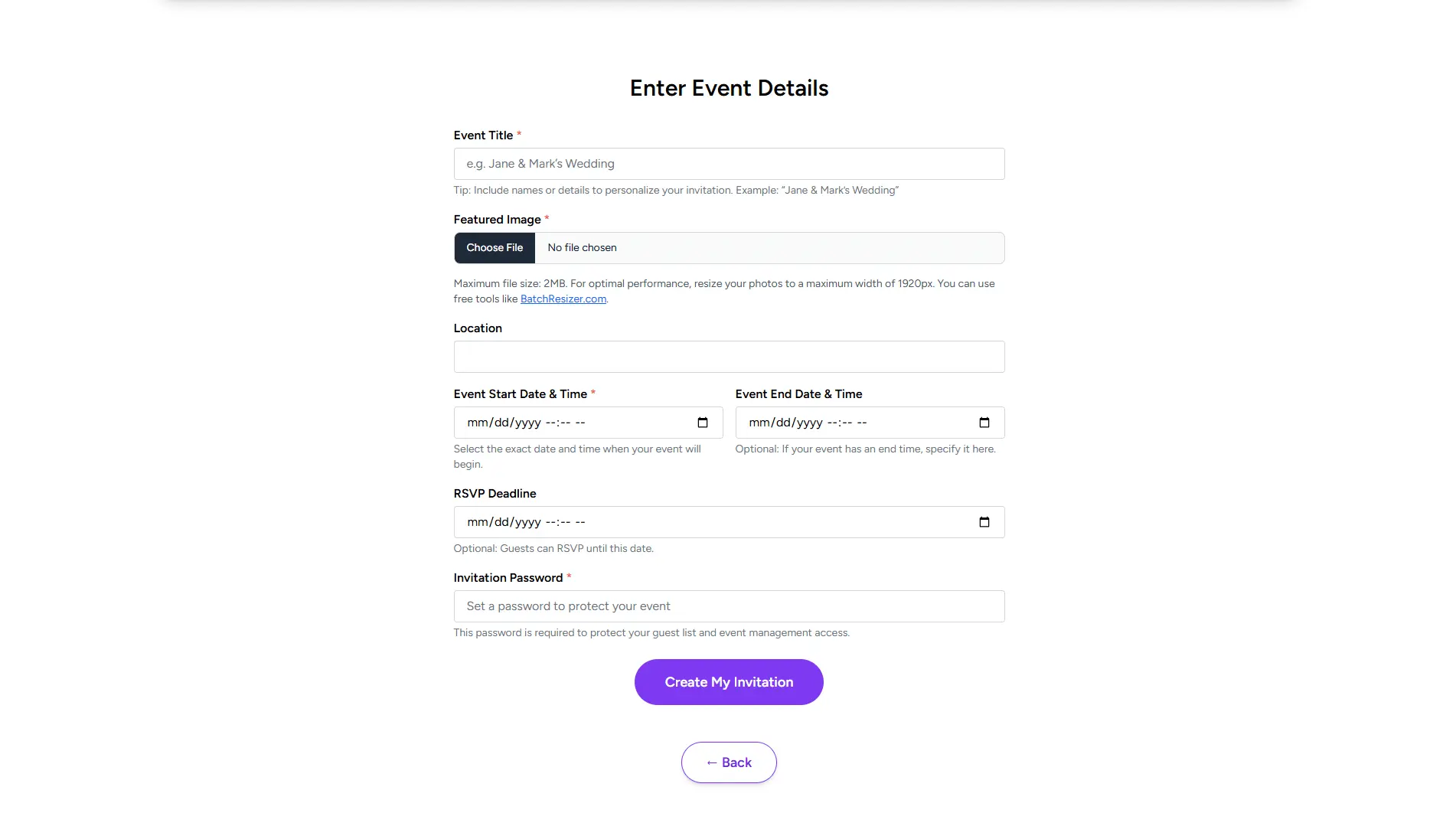
Step 3: Enter Your Event Details
Once you’ve selected a template, it’s time to customize your invitation website.
Simply add:
- Event Title
- Featured Image
- Location
- Event Start Date & Time
- Event End Date & Time
RSVP Deadline - Invitation Password
After saving your details, your invitation website is instantly generated and ready to share.
Built-In RSVP Management Made Simple
Every invitation website includes RSVP management by default. Guests can respond in just a few clicks—no accounts required.
RSVP features include:
- Personalized landing page
- Attending / Not Attending responses
- Message from the guest
- Real-time guest tracking
- Easy guest list management
You’ll see all responses organized in your dashboard, copying personalize invitation link for each guest, making planning easier and more accurate.
Why Our Online Invitations Work Better
Our platform is designed for speed, simplicity, and reliability.
What sets our invitation website apart:
- No app downloads
- No complicated setup
- Instant sharing with one link
- Works perfectly on mobile and desktop
From creation to sharing, everything is built to save you time.
Frequently Asked Questions (FAQ)
Conclusion: One Link for Your Entire Event
Creating an invitation website with RSVP management doesn’t have to be complicated. With our simple 3-step process—choose a category, select a template, and enter event details—your online invitation is ready in minutes.
👉 Create your free invitation website today and share one beautiful link with your guests.
Comments
Join the conversation and share your thoughts.
No comments yet
Be the first to share your thoughts.